Free & open source · MIT
Convert documents on your computer, not in Claude’s context.
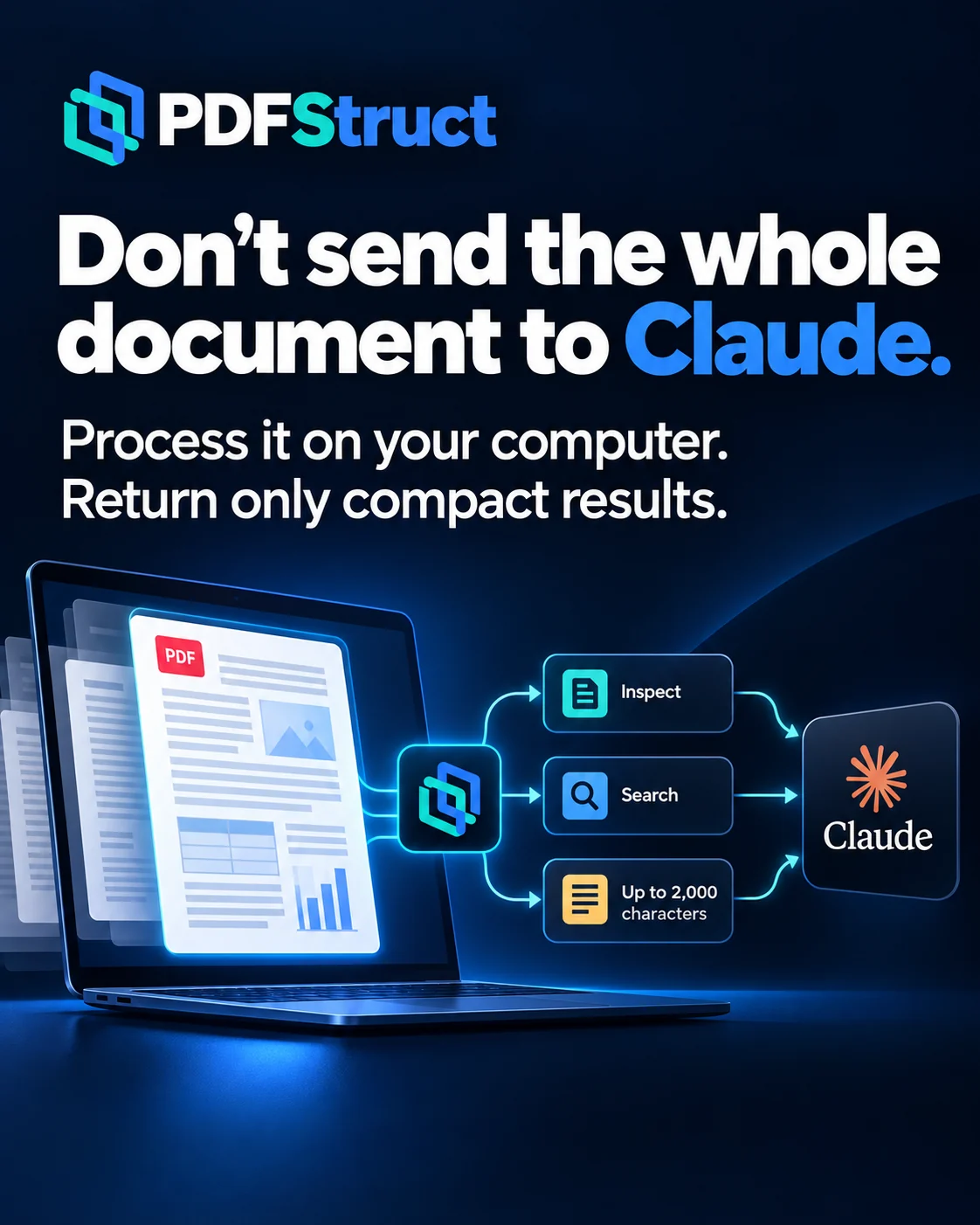
PDFStruct turns PDF, DOCX, text and image files into ten structured formats on your own machine. Claude gets short results instead of the whole file, which can cut context and token use, especially for large documents.
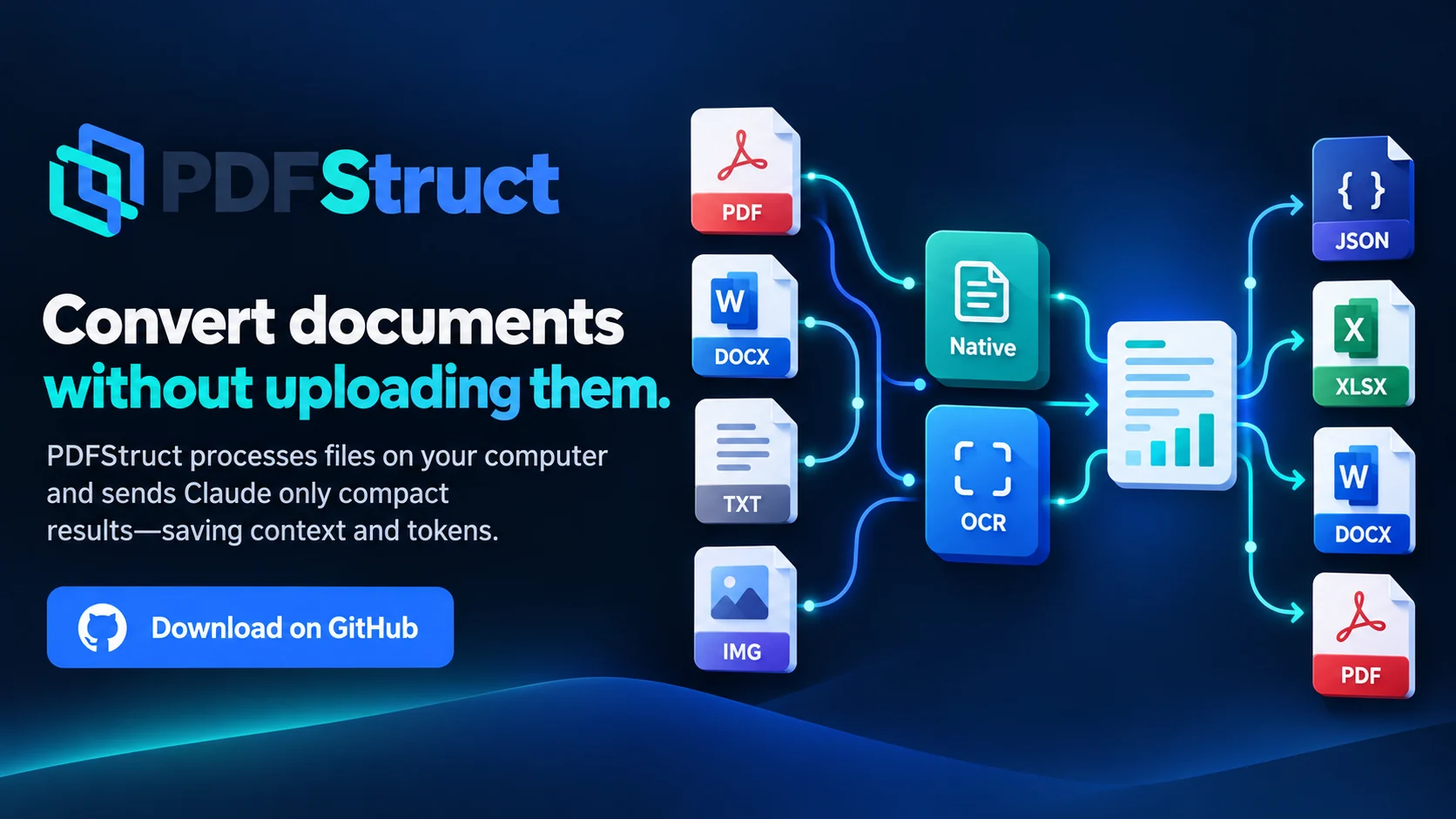
- 10 output formats
- OCR when a page needs it
- Less context and fewer tokens in Claude
- Free and open source
Why PDFStruct?
-
Your documents are processed on your computer
Files are read and converted on your own machine. Nothing is uploaded to a PDFStruct server, and the source file is never overwritten.
-
Large documents stay out of Claude’s context
Claude starts the conversion and gets back a short status and the output paths. It reads the content only when you ask, and then only in small pieces.
-
One read, ten output formats
Each input is read once. Every format you ask for is produced from the same structured result, and unchanged jobs can be run again safely.
How it works
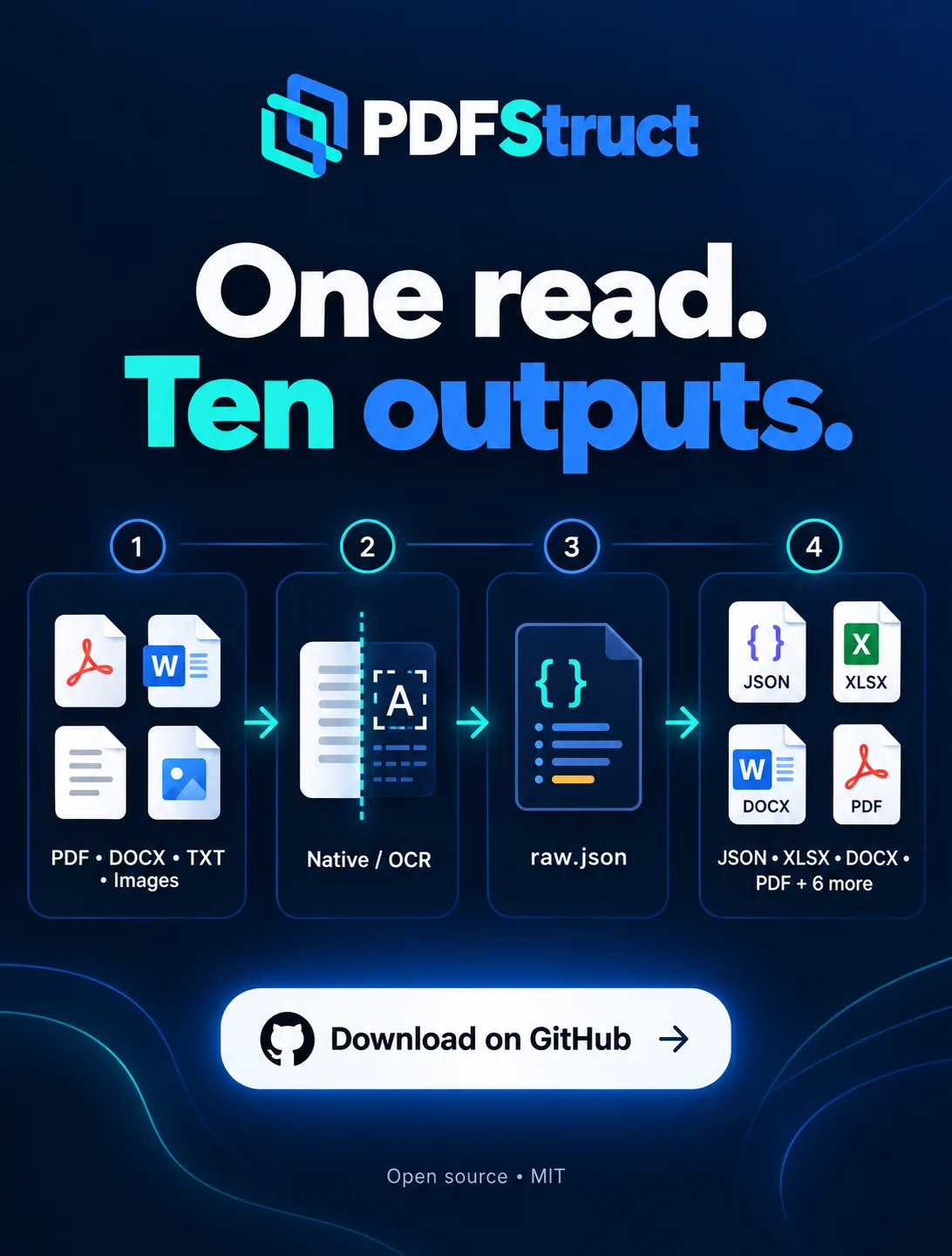
Four steps, the same for every way of using PDFStruct.
-
PDF, DOCX, text or image
Give it one file, several files or a folder.
-
Native extraction or OCR
If a page has a usable text layer, it is read directly. Weak or scanned pages go through OCR.
-
raw.json
One structured result per document. Low-confidence pages are listed in review_pages.
-
10 output formats
All requested formats are written from that one result.
With Claude
Less context, fewer tokens
With the local MCP server, Claude works with your documents without receiving them in full. Each tool returns only what is needed:
inspectreturns short metadata about the file, not its content.searchbrings back targeted matches for a query.read_excerptreads at most 2,000 characters per call.convertreturns a short status and the output paths instead of the document text.
How much context and how many tokens this saves depends on the document. There is no measured or guaranteed figure.
Supported formats
Ten input types and ten output formats. Nothing else is supported.
Input
- DOCX
- TXT
- Markdown
- HTML
- JPG
- PNG
- TIFF
- BMP
- WebP
Output
- JSON
- HTML
- TXT
- Markdown
- CSV
- XLSX
- DOCX
- JSONL
- SQLite
Use it your way
One engine behind every option. Claude is optional: PDFStruct works without it.
-
Desktop window
Drag files in, tick the formats, press Convert. On Windows, the setup ZIP installs PDFStruct into its own folder; it needs Python 3.10 to 3.13.
Updates are installed only after you confirm them; nothing runs in the background. This release has no portable build.
-
Command line and scripts
A keyboard menu in the terminal, or a single command without prompts for scripts and automation. Installed with pip from the wheel; needs Python 3.10 or newer.
Not on PyPI yet.
-
Claude Code and Claude for Windows
A plugin for Claude Code (the skill plus the MCP server registration) and a .mcpb extension for the Claude desktop app let Claude run conversions on your computer.
Both are launchers without a copy of PDFStruct: install PDFStruct with the Windows setup first. If you use the plugin, do not add the separate skill ZIP as well.
Privacy
Your documents are processed on your computer.
- Documents are not uploaded to a PDFStruct server.
- No account is needed.
- No telemetry by default.
- No artificial usage limits and no mandatory payment.
One exception to know about: the first time OCR is needed, PDFStruct downloads its OCR models once (about 70 MB). That step needs an internet connection.
What it does not do
PDFStruct extracts text and structure. It is not a table extractor and not a layout-preserving converter.
- It does not rebuild tables. CSV and XLSX outputs are lists of text blocks, not real tables.
- DOCX to PDF does not keep the original layout. The PDF it writes is a readable re-flow.
- It does not summarise documents or extract fields with AI.
- There are no measured speed or accuracy figures.
- The first OCR run downloads its models (about 70 MB).
Free and open source
- MIT licensed.
- Free to use.
- No Premium or Pro tier.
- No core feature depends on a donation.
- The source code is on GitHub.
Support the project
PDFStruct is free and open source. If it saves you time, you can support its development by buying me a tea or coffee.
A donation is voluntary and unlocks nothing: every feature is already free.
Questions
Is PDFStruct free?
Yes. It is MIT licensed, has no Premium or Pro tier and no usage limits. Donations are voluntary and unlock nothing.
Are my documents uploaded?
No. Documents are processed on your computer and are not sent to a PDFStruct server. The only download is the OCR models (about 70 MB), once, the first time OCR is needed.
When is OCR used?
Only when a page needs it. If the page’s text layer is good enough, the text is read directly. Weak or scanned pages and images go through OCR.
How does it reduce Claude’s token and context use?
The whole document is never sent to Claude. inspect returns short metadata, search returns targeted matches, read_excerpt reads at most 2,000 characters per call, and convert returns a status and output paths. The saving depends on the document; there is no guaranteed figure.
Which formats does it support?
Input: PDF, DOCX, TXT, Markdown, HTML, JPG, PNG, TIFF, BMP and WebP. Output: JSON, HTML, TXT, Markdown, CSV, XLSX, DOCX, JSONL, SQLite and PDF.
Does it keep tables and page layout?
No. It does not rebuild tables: CSV and XLSX contain text blocks. A PDF made from a DOCX is a readable re-flow, not a copy of the original layout.
Get PDFStruct
Download the latest stable release or read the source.